
Iget Vapes
how to recharge iget bar
Oct
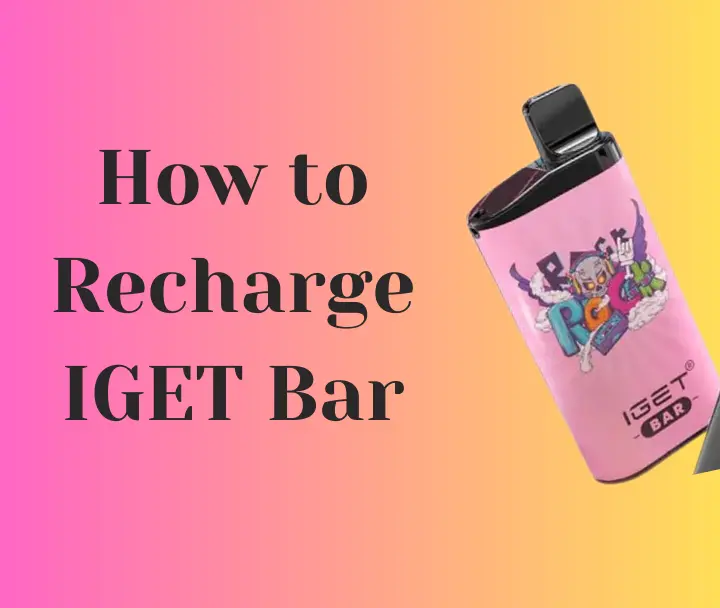
How to Recharge iGet Bar: The Complete Step-by-Step Guide (2026) Introduction The iGet Bar has become one of the most popular disposable vaping devices due to its sleek design, long-lasting battery, and satisfying flavor options. Many users enjoy the convenience of simply opening the package and vaping without worrying about complicated settings or maintenance. However, one of the most common questions asked by new users is: “Can you recharge an iGet Bars?” The answer depends on which iGet Bar model you own. Some iGet Bar devices include a USB charging port and are designed to be recharged several times until the e-liquid runs out. Other models are completely disposable and should never be opened or modified. In this complete guide, you’ll learn everything you need to know about charging an iGet Bar safely, including how to identify rechargeable models, the charging process, common mistakes to avoid, troubleshooting tips, battery safety, and frequently asked questions. Understanding the iGet Bar The iGet Bar pro is a disposable vape device that combines a built-in battery, pre-filled e-liquid, and an integrated coil into a single unit. Unlike refillable vape kits, disposable devices require very little maintenance. Most iGet Bars feature: Pre-filled e-liquid Built-in battery Automatic draw activation Compact portable design No buttons No coil replacement Some larger-capacity versions include a rechargeable battery to ensure users can use all of the e-liquid before the battery is depleted. Can You Recharge an iGet Bar? This is the most important question. The answer is: Yes—but only if your specific iGet Bar includes a charging port. Many high-capacity disposable devices include a USB Type-C charging port on the bottom of the device. If your device has: USB-C charging port Charging indicator light then it is intended to be recharged. If your device does not have any charging port, it is not rechargeable. Never attempt to drill holes, pry open the device, or connect wires to charge a non-rechargeable disposable vape. How to Tell if Your iGet Bar is Rechargeable Before plugging anything in, inspect the bottom of the device. A rechargeable model usually has: USB Type-C port Small LED charging light Smooth charging connector A non-rechargeable model usually has: Completely sealed bottom No charging connector No charging indicator Always check the product packaging or manufacturer’s instructions if you’re unsure. What You’ll Need Charging an iGet Bar is simple. You’ll need: USB Type-C cable (if your model uses USB-C) Low-power USB charger Laptop USB port Computer USB port Certified USB wall adapter Avoid using damaged cables. Step-by-Step Guide to Recharge an iGet Bar Step 1: Inspect the Device Look for any signs of damage. Do not charge a vape that: Is cracked Has been dropped into water Is leaking Has swollen Produces unusual heat Damaged batteries should not be recharged. Step 2: Locate the Charging Port Turn the vape upside down. Most rechargeable versions place the USB-C port on the bottom. Remove any dust or debris before charging. Step 3: Connect the Cable Insert the charging cable gently. Do not force the connector. It should fit easily. Step 4: Connect to Power Plug the other end into: Laptop Computer Low-power wall adapter Avoid high-speed chargers unless the manufacturer specifically states they are supported. Step 5: Watch the LED Indicator Most rechargeable iGet devices display an LED light. Common indications include: Red: Battery charging Blue: Medium battery Green: Fully charged Some models may blink while charging and stop blinking once fully charged. Step 6: Wait for Charging to Finish Charging usually takes between 30 and 90 minutes depending on battery size and remaining charge. Avoid leaving the device plugged in overnight. Step 7: Disconnect Once fully charged: Remove the cable. Store the charger. Resume vaping normally. How Long Does Charging Take? Charging times vary depending on battery capacity. Typical charging times include: Nearly empty battery: 60–90 minutes Partially charged battery: 30–45 minutes Small battery top-up: 15–30 minutes Charging speed also depends on the power source. How Long Does a Charged iGet Bar Last? Battery life depends on several factors: Puff frequency Puff duration Device capacity Battery size Temperature Light users may enjoy several days between charges, while heavy users may need to recharge more frequently. Remember that once the e-liquid is empty, charging the battery will not restore the device’s ability to produce vapor. Signs Your iGet Bar Needs Charging Common signs include: Weak vapor Reduced flavor intensity LED blinking Device stops producing vapor Inconsistent performance If the device has a charging port, recharge it before assuming it has reached the end of its life. Common Charging Mistakes Many users shorten battery life by making avoidable mistakes. These include: Using Cheap Chargers Low-quality chargers may deliver unstable voltage. Always use reputable charging accessories. Leaving It Charging Overnight Overcharging creates unnecessary battery stress. Disconnect once fully charged. Charging Near Water Keep charging equipment dry. Never charge: Near sinks In bathrooms Outdoors during rain Using Damaged Cables Replace frayed cables immediately. Damaged cables can become fire hazards. Ignoring Heat The device should become only slightly warm. If it becomes excessively hot, unplug it immediately. Battery Safety Tips Rechargeable lithium-ion batteries require proper care. Follow these recommendations: Charge on a hard surface. Keep away from direct sunlight. Avoid extreme temperatures. Store in a cool, dry location. Never puncture the device. Keep away from children and pets. Dispose of used devices through appropriate recycling programs where available. Why Isn’t My iGet Bar Charging? Several issues may prevent charging. Dirty Charging Port Dust can block the connection. Use compressed air or a soft brush to clean the port. Faulty Cable Try another USB-C cable. Many charging issues are caused by damaged cables. Dead Battery After extensive use, rechargeable batteries eventually reach the end of their lifespan. If the battery no longer accepts a charge, the device should be replaced. Empty E-Liquid If charging completes but no vapor is produced, the e-liquid may already be exhausted. Disposable devices are not designed to be refilled. Can You Recharge an Empty iGet Bar? Charging only restores battery power. It does not replace e-liquid. If the vape has no e-liquid remaining, charging will not produce additional puffs. Should You Open an iGet Bar? No. Opening the device can: Damage the battery. Cause leaks. Increase the risk of short circuits. Void any applicable warranty. Create safety hazards. The device is designed as a sealed product. Tips to Extend Battery Life To maximize battery performance: Take moderate puffs. Avoid chain vaping. Recharge before the battery is completely depleted. Store at room temperature. Keep the charging port clean. Use the recommended charging cable. Frequently Asked Questions Can every iGet Bar be recharged? No. Only models that include a charging port are designed to be recharged. Can I use a phone charger? A standard USB charger with a suitable cable is generally appropriate if it provides the recommended power output for the device. Avoid using excessively high-powered charging adapters unless specified by the manufacturer. Can I recharge it multiple times? Yes, rechargeable models can usually be recharged many times until the e-liquid is depleted or the battery reaches the end of its service life. Why is my vape blinking after charging? Blinking may indicate a depleted e-liquid supply, a connection issue, or another device fault, depending on the model. Is it safe to charge overnight? It is generally better to disconnect the device once charging is complete rather than leaving it plugged in for extended periods. Conclusion Recharging an iGet Bar is straightforward—but only if your specific model is designed for it. Before attempting to charge the device, check for a USB charging port and follow the manufacturer’s instructions. Use a suitable charging cable, avoid damaged equipment, and never attempt to modify or recharge a sealed, non-rechargeable disposable vape. Proper charging habits can help maintain battery performance throughout the life of a rechargeable iGet Bar. Once the e-liquid is exhausted, however, charging alone will not restore the device, and it should be disposed of responsibly according to local electronic waste or battery recycling guidance. By following the safety tips and best practices outlined in this guide, users can charge compatible iGet Bar devices safely while avoiding common mistakes that may reduce battery life or create unnecessary risks. Iget , Iget Vapes , Iget Vape , Iget Australia , Iget Vape Australia , Vapes Iget , Iget Vapes Australia , Vape Iget
